
Clubhouse
Alpha Exploration Co.Social
4.54.19K Reviews
- Version
- 26.08.20
- Installs
- 10.00M
- Age Rating
- Teen
Screenshots

Our Review of Clubhouse
 Analysis by Appyee
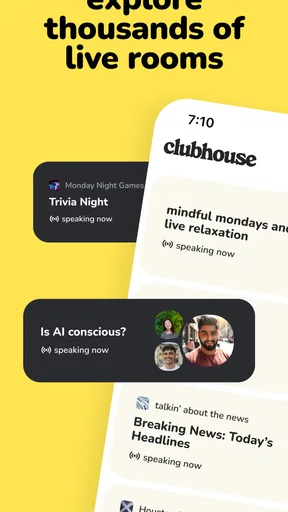
When I open Clubhouse, I am not looking for another feed to scroll through. I am usually starting with a simple situation: I have a topic in mind, a little time available, and I want to hear people discuss it rather than read a chain of short posts. That makes this social app from Alpha Exploration Co. feel different from the usual text-first networks. Its focus is live voice chats and hangouts, so the useful question is not whether it replaces every social app, but whether listening and speaking in real time fits the way I want to connect.
After spending time with it, I see a clear strength: the distance between discovering a conversation and joining it can be very short. I can enter a room, listen for a while, and decide whether I want to participate. That low-commitment start is valuable when I am curious but do not yet know the people involved. At the same time, the live format demands attention, and the quality of the experience depends heavily on the room, its speakers, and how well the discussion is managed.
From a spare moment to a live conversation
I’ll look at what happens in the moments before a room becomes worthwhile: how I decide whether to stay, and how a little patience can make the live format feel less hit-or-miss. The next section turns that first impression into a practical way to choose where to spend my attention.
Choosing the right starting point
The best way to use Clubhouse is to begin with a specific intention. I might want background conversation while taking a break, look for people interested in a subject, or join a discussion where I can ask a question directly. If I open it without any idea of what I want, the number of possible conversations can make the experience feel less focused than a messaging app, where I already know who I am contacting.
The app is free to download, which makes trying this workflow easy. It is aimed at a Teen audience, so I would still treat every public conversation as a space requiring normal online judgment. A live room can move quickly, and the casual tone of voice can make a stranger seem familiar before I know anything about them. I avoid sharing personal details simply because a conversation feels friendly.
Clubhouse has built a substantial audience, with more than ten million installs and an average rating of four and a half from roughly five hundred ninety-two thousand ratings. Those figures suggest that the voice-room idea has reached well beyond a small experiment, but they do not guarantee that every subject will have an active or thoughtful room when I happen to open the app. Activity can vary by interest, time, and the people currently hosting.
Finding a room without wasting time
My first practical tip is to judge a room by its current conversation, not only its title. A promising label can lead to a discussion that has already drifted away from the subject, while a plain-looking room may contain exactly the exchange I wanted. I listen briefly before deciding whether to stay. This is more efficient than joining with the expectation that every room will be immediately useful.
That short listening period is one of the app's most important habits. I can learn whether the host keeps the discussion organized, whether speakers are taking turns, and whether the audience is contributing anything meaningful. If the room is mostly introductions, repeated points, or unrelated side conversations, leaving costs very little. The same behavior also helps me avoid speaking too soon in a room whose tone I have not understood.
Compared with a conventional social feed, this feels less passive but also less predictable. A feed lets me scan many updates quickly and return to something later. A live room rewards being present now. Compared with a group messaging app, Clubhouse offers a broader chance of meeting people around a shared interest, but it gives me less control over the pace and less certainty that someone will answer immediately.
Joining as a listener first
Once I enter a room, I treat listening as a real participation mode rather than a waiting room before speaking. I can follow the structure, notice who is leading, and decide whether my question would move the conversation forward. This is particularly helpful for users who are interested in networking but dislike the pressure of introducing themselves in a private message.
A useful workflow is to keep a small mental note of one point I want clarified. Instead of trying to remember every detail from a fast discussion, I wait for a natural opening and ask one focused question. That makes my contribution easier to understand and avoids turning a short visit into an unplanned monologue. In my experience, voice rewards preparation more than typing does because I cannot edit a sentence after saying it.
For someone using the app during a commute, a household task, or a short break, the hands-free nature of conversation can be appealing. However, I would not assume that every room works well as background audio. Some discussions depend on visual context, names, or rapid changes in speakers. If I cannot give the room enough attention, I may gain more from a recorded or text-based alternative, when one is available elsewhere.
Moving from audience member to participant
The handoff from listening to speaking is where the app becomes more social. I do not need to dominate the room to get value from it. A concise question, a useful example, or a respectful disagreement can be enough. I find it better to decide what outcome I want before requesting attention: information, feedback, a connection, or simply a chance to add context.
This also changes how I evaluate a room. A room with many listeners is not automatically better than a smaller conversation. A large audience may expose me to more viewpoints, but a smaller group can make it easier to ask a detailed question. The trade-off is that smaller rooms may depend more on the host's preparation, while larger ones can become difficult to follow if speakers are not coordinated.
My non-obvious recommendation is to leave after I have received the value I came for. Staying because a room was good ten minutes ago can turn a useful visit into passive time consumption. Live social apps encourage the feeling that something important might happen next, but a clear stopping point keeps Clubhouse from becoming another endless feed.
How handoffs shape the experience
Clubhouse works through several handoffs: from browsing to entering, from listening to speaking, and from one speaker to the next. Each handoff can either make the conversation feel natural or expose its weaknesses. When the host explains the topic and gives people room to contribute, I can follow the social rules quickly. When speakers interrupt, repeat themselves, or change direction without warning, I spend more energy interpreting the room than learning from it.
This is why the host matters so much. The app provides the setting, but the person running the room determines much of the practical outcome. A strong host keeps the subject visible, moves the conversation along, and makes space for different voices. A weak host can make a promising topic feel disorganized even when the participants are knowledgeable.
If I create a room, I would prepare a simple opening sentence, one or two prompts, and a clear idea of who should benefit from joining. I would also set expectations about whether the discussion is casual, question-led, or more structured. That small amount of preparation reduces awkward pauses and helps listeners decide whether to stay. It is a more important use of time than trying to make the room sound polished.
The handoff to another person outside the app is less automatic than it can be in a text network. If someone says something useful, I need to remember the person and follow up in an appropriate way rather than assuming the live conversation itself creates an ongoing relationship. I see this as both a limitation and a useful filter: a good exchange can open a door, but it does not replace the work of building trust afterward.
A realistic everyday scenario
Imagine I have twenty minutes between tasks and want advice about a subject I am learning. I open Clubhouse, scan the available conversations, and enter one that appears relevant. Instead of speaking immediately, I listen long enough to understand the tone and identify whether the room is actually discussing the promised topic. I then form one specific question, contribute briefly if the format allows it, and leave once I have a practical answer.
The outcome is different from searching the web. Search gives me organized information quickly, while a live room can expose me to personal reasoning, disagreement, and follow-up questions I would not have considered. It is also different from posting in a forum, where I may wait for replies. The advantage here is immediacy; the cost is that the answer may be uneven, subjective, or lost in a conversation that moves too quickly.
For a creator, student, hobbyist, or professional exploring a community, this workflow can be a useful first contact. I can test whether people are thoughtful before investing more time in the group. For someone who needs a precise, authoritative answer, I would use a specialist source alongside the app rather than treating a spontaneous discussion as final guidance.
What the app does better than familiar alternatives
Messaging apps are better when I already know the people I want to reach and need a private, asynchronous exchange. Text communities are better when I want searchable answers, careful wording, or a conversation that can be revisited later. Video meeting tools are better when faces, demonstrations, presentations, or shared screens are central to the task. Clubhouse's advantage is narrower and clearer: it makes live voice participation feel like a social discovery experience.
That distinction matters. I would choose it when the human voice adds value, when I want to browse beyond my existing contacts, and when I am comfortable with an unscripted exchange. I would not choose it for documenting decisions, comparing detailed instructions, or handling sensitive information. Voice creates warmth and speed, but it is not naturally good at preserving a reliable record.
The app's social design can also make casual participation easier than sending a cold message. I can listen before committing, which lowers the barrier to entry. Yet the same openness can produce rooms that are noisy or repetitive. My recommendation is to use it as a discovery layer, not as the only place where I organize knowledge or maintain important relationships.
Where the workflow breaks
The first break is timing. A room may be interesting when I find it, but live conversation is dependent on who is present at that moment. If I return later, the same subject may not offer the same quality. This uncertainty is acceptable for exploration, but frustrating when I need a dependable appointment or a guaranteed answer.
The second break is attention. I cannot skim a voice conversation with the same precision as written text. If several people speak quickly, I may miss a key point. Background noise, unclear microphones, or uneven speaking habits can make the room tiring. I find that leaving early is often better than forcing myself to endure a conversation I can no longer follow.
The third break is social confidence. A listener who is comfortable typing may hesitate to speak live, especially in a busy room. Clubhouse reduces that barrier by allowing observation first, but it does not remove it. I would not recommend the app as a primary social tool for someone who strongly prefers private, asynchronous communication and feels drained by spontaneous interaction.
There is also a financial detail worth noticing. The app is free, but it includes in-app purchases ranging from forty-nine cents to four hundred ninety-nine dollars per item. I would not assume that downloading it requires spending money, but I would review any purchase screen carefully and keep the free experience separate in my mind from optional paid elements. Anyone sharing a device or account should be especially deliberate before confirming a transaction.
Practical ways to get more from each visit
Enter with one purpose, such as learning, asking, meeting people, or simply exploring. A purpose makes it easier to decide whether a room is working for you.
Listen before speaking. Pay attention to the host's style, the room's pace, and whether questions are welcomed.
Ask one focused question instead of trying to summarize your entire background. Short contributions are easier for a live audience to absorb.
Leave when the useful part is over. A live room does not need to fill every spare minute.
Move important information into a more durable format afterward. I treat memorable comments as leads to investigate, not as automatically verified conclusions.
These habits also answer a common concern: do I need to be an active speaker to benefit? No. Listening can be the most sensible role when I am learning the culture of a community or deciding whether I trust its discussions. Speaking becomes worthwhile when I have a clear contribution, not merely because the room is available.
Device expectations and fit
The current version is 26.08.20, and the app supports Android 8.0 or later. That makes it accessible to many Android users, though the practical quality still depends on the phone, connection, headphones, and surrounding noise. Voice apps are less forgiving than text apps when a device struggles with audio or when I am moving between noisy places.
I would test the experience in the environment where I actually plan to use it. A quiet room may make a conversation feel excellent, while a busy street can make the same session frustrating. Earphones can help me hear speakers, but they do not solve a poorly organized room. If clear audio and uninterrupted attention are difficult in my routine, a text-based community may be the better everyday choice.
Who should try it, and who should skip it
I think Clubhouse is a good fit for people who enjoy live discussion, want to discover communities beyond their existing contacts, or prefer asking questions aloud. It is especially useful as a low-pressure way to sample a conversation before deciding whether to become more involved. The free entry point also makes experimentation straightforward, provided I remain aware of optional purchases.
I would skip it if my main goal is private messaging, searchable documentation, visual collaboration, or guaranteed expert answers. I would also be cautious if spontaneous voice interaction feels stressful rather than energizing. The app's central idea is not a universal replacement for social networks; it is a particular way of meeting conversation in progress.
My final assessment after following the full workflow
Clubhouse succeeds when the starting condition is curiosity and the desired result is a real-time exchange. I can discover a room, listen without pressure, contribute when I have something useful, and leave with a new perspective or a promising contact. That complete path feels more human than scrolling alone, and it explains why the app remains appealing as a social category product.
Its weaknesses appear at the same points where live voice is distinctive: timing is uncertain, attention is required, and the quality of the outcome depends on hosts and speakers. I would use it alongside, not instead of, messaging, forums, search, or video tools. For me, the strongest recommendation is simple: install it when you want to explore conversations rather than collect posts, enter with a clear purpose, and judge each room by what it actually gives you. Clubhouse is at its best when a short visit turns into a useful human exchange, not when I expect it to organize everything for me.
Verdict
Strengths of Clubhouse
- Live, spontaneous conversations feel more authentic than edited social posts.
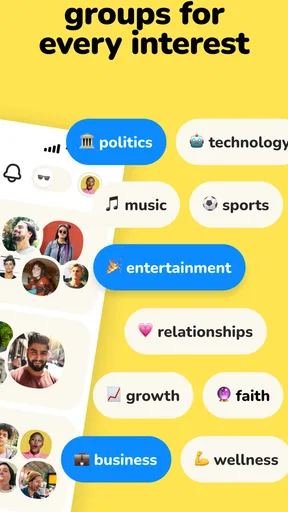
- Easy to discover niche rooms through clubs and topic-based recommendations.
- Speakers can join discussions without needing video or elaborate production.
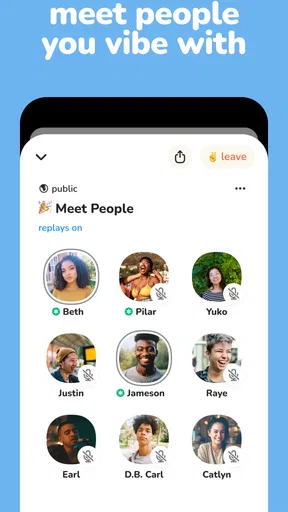
- Networking opportunities are strong for creators, professionals, and industry communities.
- The app supports casual listening while multitasking or moving around.
Limitations of Clubhouse
- Room quality varies widely, and some discussions lack useful moderation.
- Popular rooms can become difficult to enter or follow in real time.
- Conversations may move quickly, making missed comments hard to recover.
- The social experience depends heavily on having an active network of users.
- Frequent notifications can feel distracting if settings are not adjusted.
Similar Picks in This Category
View All
Meta Platforms, Inc.4.6

Instagram4.0

Likee-Live, Chat & Party Games
Likeme Pte. Ltd.4.4

Facebook Lite
Meta Platforms, Inc.4.5

TikTok - Videos, Shop & LIVE
TikTok Pte. Ltd.4.0

Moj: Free Short Drama & Reels
ShareChat4.1
Frequently Asked Questions
What is Clubhouse and how does it work?
Clubhouse is an audio-based social networking app where people join live virtual rooms and participate in conversations. Rooms may include interviews, panel discussions, casual chats, or audience question sessions. You can listen quietly, raise your hand to speak, follow speakers and moderators, and discover discussions through clubs, topics, and personalized recommendations. Conversations can change quickly, so the experience feels more spontaneous than a traditional podcast.
Is Clubhouse free to download and use?
Yes, Clubhouse is generally free to download and use on supported Android and iOS devices. You can create an account, follow users, join rooms, and participate in many live conversations without paying. However, some creators may offer optional paid features or monetized content, depending on the region and current app version. Standard mobile data charges may also apply when listening outside a Wi-Fi connection.
Do I need an invitation to join Clubhouse?
Clubhouse originally required invitations, but access has become much more open over time. In most cases, new users can download the app, register with a phone number or supported sign-in method, and create a profile without receiving a traditional invitation. Availability and registration requirements can vary by country, device, or app update, so it is best to check the current sign-up process after installation.
Can I speak in Clubhouse rooms, or can I only listen?
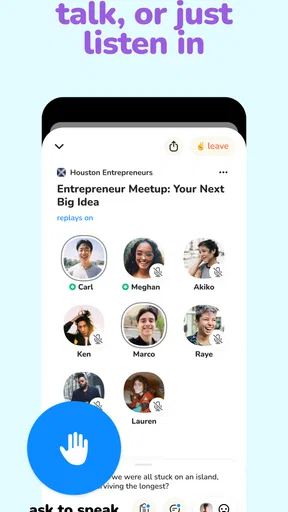
You can do both. When you enter a room, you normally begin as a listener, while moderators and invited speakers appear on the virtual stage. If the room allows audience participation, you can tap the raise-hand option and wait for a moderator to invite you to speak. You can also create your own room and control who participates, depending on the available room settings.
Is Clubhouse safe and private to use?
Clubhouse includes tools such as blocking, reporting, room moderation, and privacy controls, but users should still be careful because conversations are live and may involve strangers. Avoid sharing sensitive personal information, financial details, passwords, or your exact location. Review your profile visibility and notification settings, and leave or report rooms that contain harassment, scams, hate speech, or other inappropriate behavior.
